Your questions. Your workflow.
Build a form that fits.
Create your own form templates in Fillvisa Plus. Drag blocks into place, tailor each question, and collect the information you need for client intake, tax preparation, and more.
From a blank form to your next client intake
Add a text field, a date, and a choice. Make each question your own.
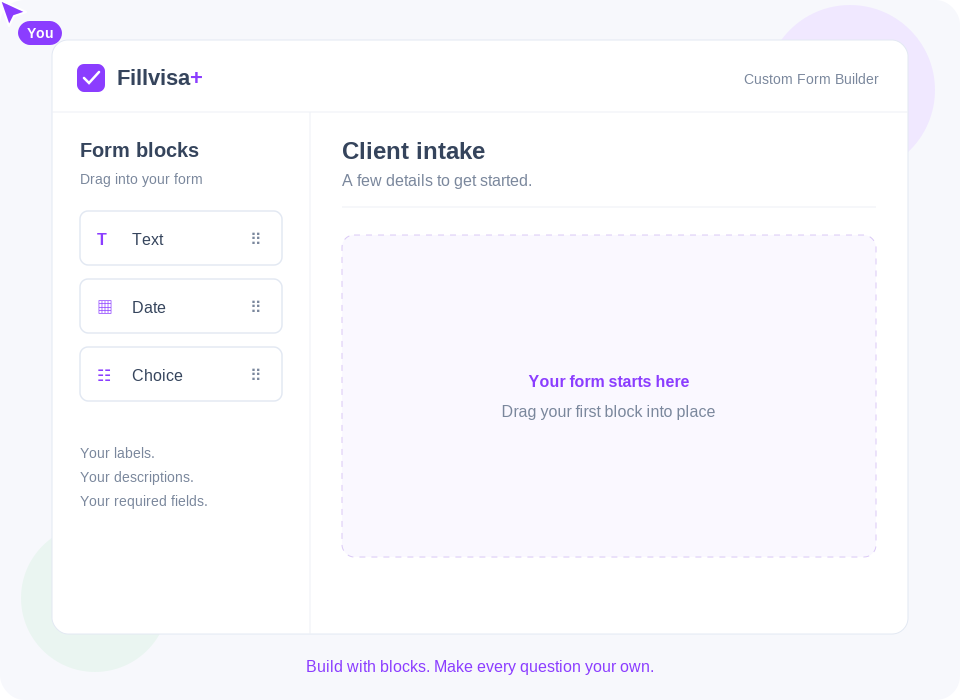
Illustrative builder preview. Create your own questions and form templates in Plus.
Start for free, upgrade when you're ready
Start with free forms, then choose Plus for custom form templates, cloud sync, and client accounts.
Monthly
Yearly
Free
The easiest way to complete any USCIS form
$0 /month
What’s included
- Immigration smart forms
- Multilingual questionnaires
- Export official USCIS PDFs
- Data gets stored only on device
Plus
For Immigration Professionals
$
40
/month
$
400
/year
What’s included
- Everything in Fillvisa Free
- Data gets stored on your online account (cloud storage)
- Staff and client collaboration
- Auto-populate multiple forms from one intake
- Client portal and document requests
- Create custom form templates
Collect the details your work calls for
Every practice has its own questions. Build custom forms around the information you need, with wording and fields that fit the way you prepare.
Build with blocks
Drag text, dates, choices, and more into your form. Arrange questions in the order that makes sense for your clients.
Use your own wording
Edit labels to ask the right questions. Add descriptions to explain what information belongs in each field.
Mark the essentials
Choose which fields are required so clients can see the details you need them to provide.
Create your templates
Turn your intake questions into custom form templates for the services you offer.
A block for the answer you need
Use different field types to make each question clear and give clients an appropriate way to respond.
Text fields
Ask for names, client information, and written answers in your own words.
Dates
Collect dates for appointments, important events, or the information your preparation requires.
Choices
Offer defined options when clients need to choose an answer, such as the service they need.
Start with your questions. Shape your form.
Build the structure first, then refine the details that help clients complete it.
Add your blocks
Choose the field types you need and drag them into the form.
Tailor each question
Edit labels and descriptions, set required fields, and arrange the questions.
Create your template
Bring those questions together in a custom form template for your preparation workflow.
Make your next intake your own
Build the questions your practice needs with Custom Form Builder in Fillvisa Plus.
Start your free trial7-day free trial. No credit card required.
Built for more than one kind of intake
Use your own form templates wherever you need a structured way to collect client information. These are examples you can build.
Client information
Gather contact details, background information, and the reason a client is reaching out.
Tax preparation intake
Ask about the tax year, services needed, and the background details your preparation process requires.
Custom questionnaires
Collect additional case details, consultation notes, or information specific to your services.