Import filled USCIS PDFs. No retyping ever again
Drop in any completed USCIS form and Fillvisa Plus converts it into editable Smart Forms - ready to review, fix, and file
No credit card required · 7-day free trial
Import Your Fillvisa PDF
Upload a Fillvisa PDF and extract all form fields—including values, types, and metadata—directly in your browser.
Troubleshooting
- If you see “No AcroForm found”, the PDF may not have traditional form fields (some use XFA or are just static).
- If types look “Unknown”, the field is a custom/unsupported subtype; the name is still accurate.
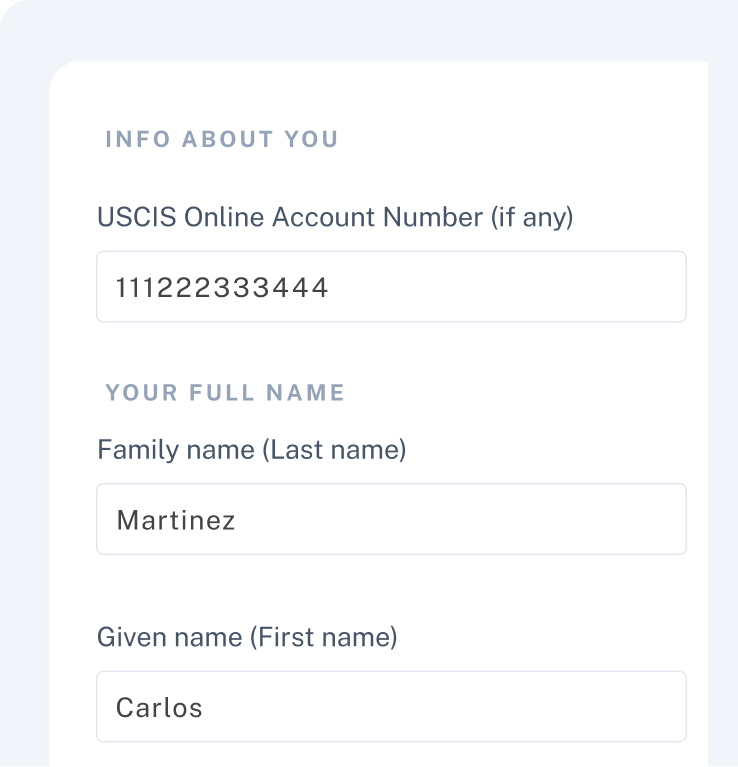
Converts to Web Form
No retyping client data. Auto-converts PDF into editable web forms
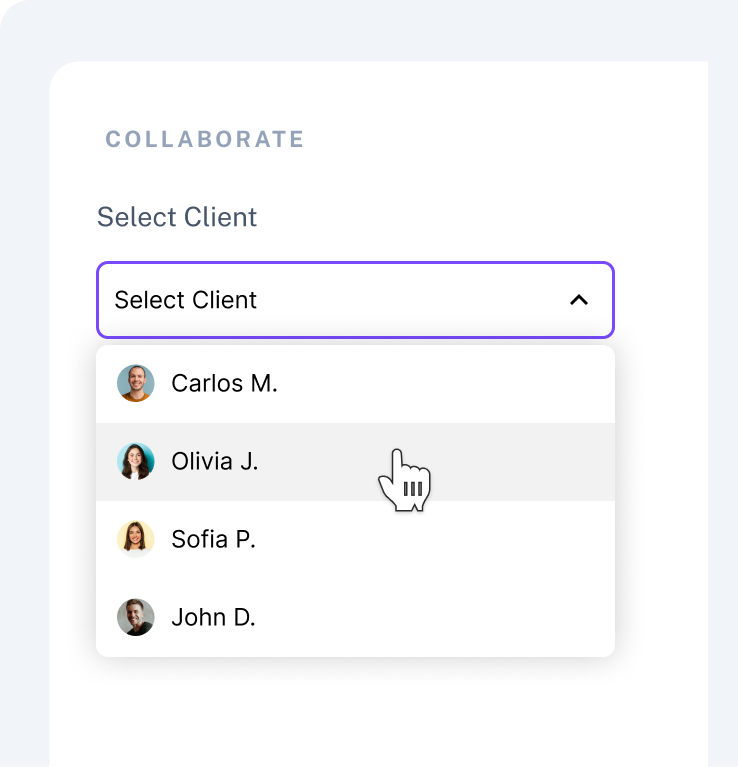
Invite Client & Collaborate
Share a link - collaborate with clients in real time
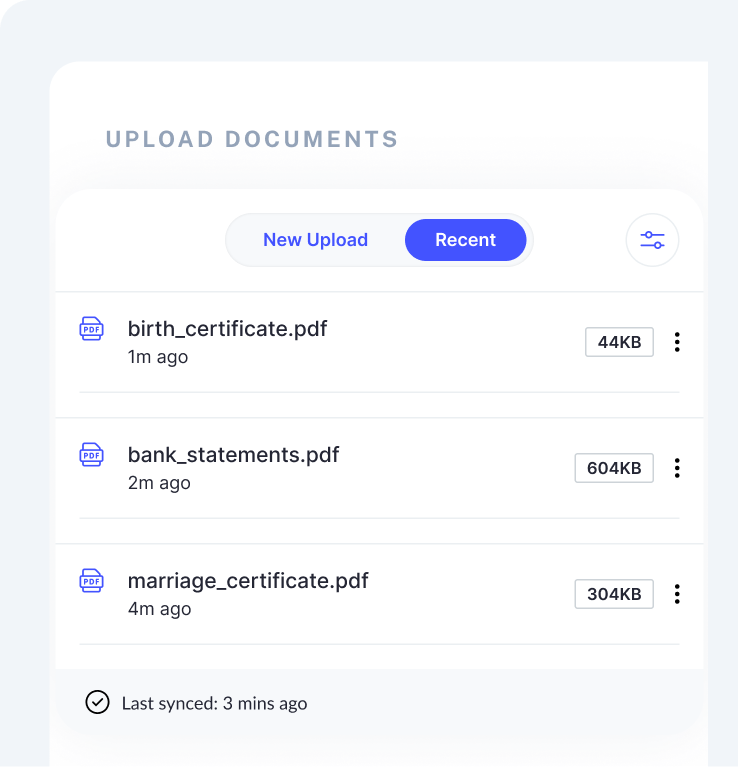
Gather Documents
Upload files - your client submits documents securely
Start for free, upgrade when you're ready
Use free forms today and unlock cloud sync, collaboration, and client accounts with Plus.
Monthly
Yearly
Free
The easiest way to complete any USCIS form
$0 /month
What’s included
- Fill any USCIS form
- Smart Forms
- All major USCIS forms
- Export official USCIS PDFs
- E-signature support (Applicant)
Plus
For Attorneys and Document preparers
$
35
/month
$
350
/year
What’s included
- Everything in Free
- Multi-client dashboard
- Cloud Sync
- Client portal for intake & uploads
- Import Fillvisa USCIS PDFs
- Secure document uploads
- E-signature support (Applicant, Interpreter & Preparer)
The only software that reads USCIS PDFs
No matter what software Yous use today, the
workflow is always the same: clients send half-filled PDFs,
and someone on the team has to manually retype everything into the software.
With Fillvisa, you just upload the filled USCIS PDF and
the data flows straight into your smart forms—no retyping, no double work.
Zero Manual Typing
Stop retyping information from half-filled PDFs. Upload the form once, and Fillvisa instantly maps every field into your smart forms.
Schema-Based
Every field is mapped to a custom JSON schema designed for USCIS forms. No fuzzy OCR, no guessing - just precise, field-level data you can trust.
Fillvisa Exports
Import works seamlessly with USCIS PDFs generated by Fillvisa. Every field maps perfectly because the PDFs follow our schema.
Instant Form Sync
Fillvisa rebuilds the entire form package inside your workspace - client details, signatures, and all mapped Smart Form fields appear instantly.
Everything you need to collect client information
Client Portal
A dedicated portal where clients can fill questionnaires, upload documents, sign forms, and track progress - all in one place.
Import Filled USCIS PDFs
Upload any completed USCIS PDF and Fillvisa automatically extracts the data and maps it back into Smart Forms.
Cloud Sync
Your forms, clients, and documents stay synced across all devices
Document Uploads
Clients upload additional documents securerly
E-Signatures
Collect signatures from clients and attorneys without printing or scanning
Edition Tracking
Automatic updates to the latest USCIS form editions
Auto-Save
Every keystroke is saved automatically. No data loss
Dashboard
A centralized list of all your cases, organized by client, status, and last update.
Beautiful Forms
A modern experience for clients completing complex USCIS paperwork.
Client Reminders
Send reminders for missing documents, signatures, or questionnaire steps.
Why choose Fillvisa over other immigration software
We are building Fillvisa because existing tools are either too expensive, too ugly, or too complicated. Usually all three.
|
Fillvisa |
Docketwise & Others | |
| Pricing |
$35/user/mo — all features included
|
$79–$129/user/mo for bundled modules
|
| Core focus |
Forms, cases, and documents - no bloat, no add-on
modules
|
CRM, billing, HR portal, tasks, messaging, analytics,
portal, etc.
|
| Setup time |
Under 1 minute — start filling forms instantly
|
Hours–days of demo, onboarding, workflow setup, team
roles
|
| Design quality |
Beautiful, modern UI
|
Dated, corporate feel
|
| Free tier |
Free forever (Free plan)
|
14-day trial
|
| Import filled USCIS PDF |
1-click import of USCIS-filled PDFs
|
No public ecosystem → everything must be done inside
the platform
|
| Learning curve |
Simple, minimal UI
|
Larger, heavier UI with dozens of modules
|
| Target market |
Solo & small immigration firms
|
SMB + mid-sized multimember firms
|
Immigration cases are complex. Your workflow doesn’t have to be.
Simplify your workflow and reclaim the hours lost to repetitive form work.
Start free trialFrequently asked questions
What’s the difference between Fillvisa and Fillvisa Plus?
Who is Fillvisa Plus for?
Do I need technical skills to use Fillvisa Plus?
Can I import USCIS PDFs into Fillvisa Plus?
How can I capture a client's information in Fillvisa Plus?
1. Import the client’s Fillvisa-generated PDF - no client portal or login required.
2. Create a client account and invite them to collaborate directly on the form.
You can also import a PDF first and invite the client on the same form whenever you're ready
Which forms do you support?
How much does Fillvisa Plus cost?
Is there a free trial?
Fillvisa Plus offers a 7-day free trial